WhatsApp campaigns: build templates, reach thousands, see every result
Create WhatsApp message templates, submit them to Meta from the same screen, and send them to thousands of customers — with every recipient checked before sending, a speed and schedule you control, and a live report for every message.
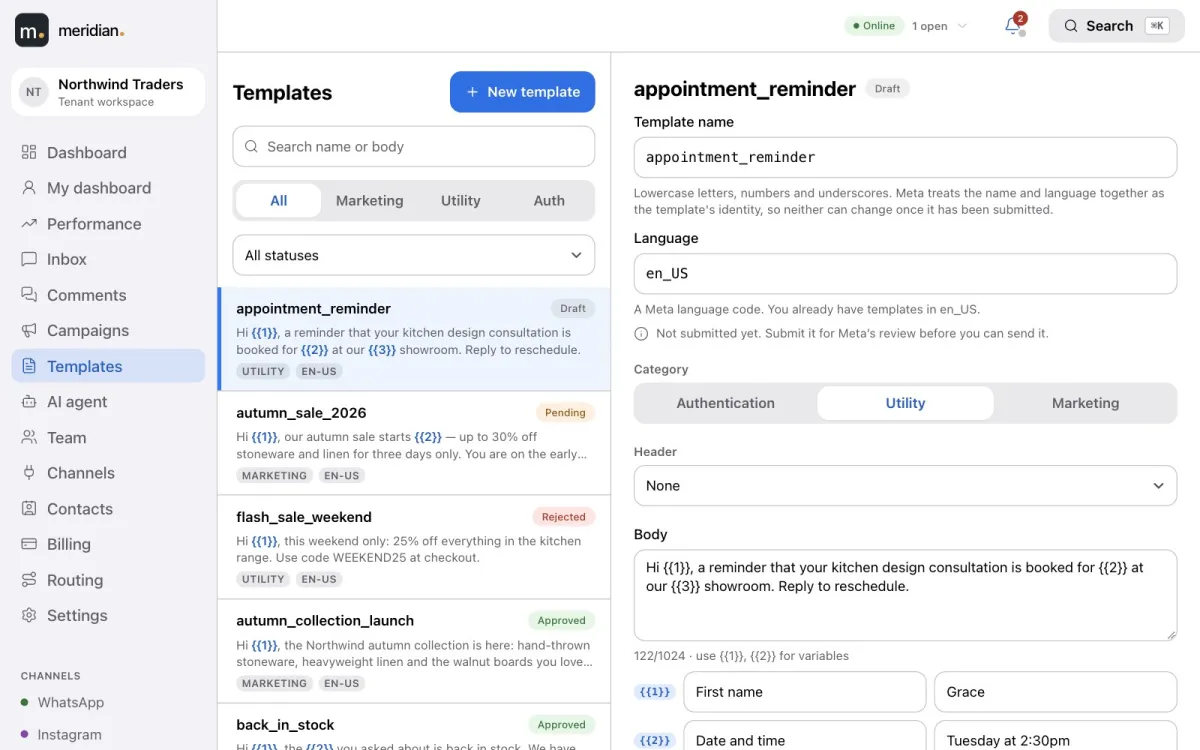
Template builder with a live preview, submitted to Meta in one click.
Approval status synced automatically, with the reason if rejected.
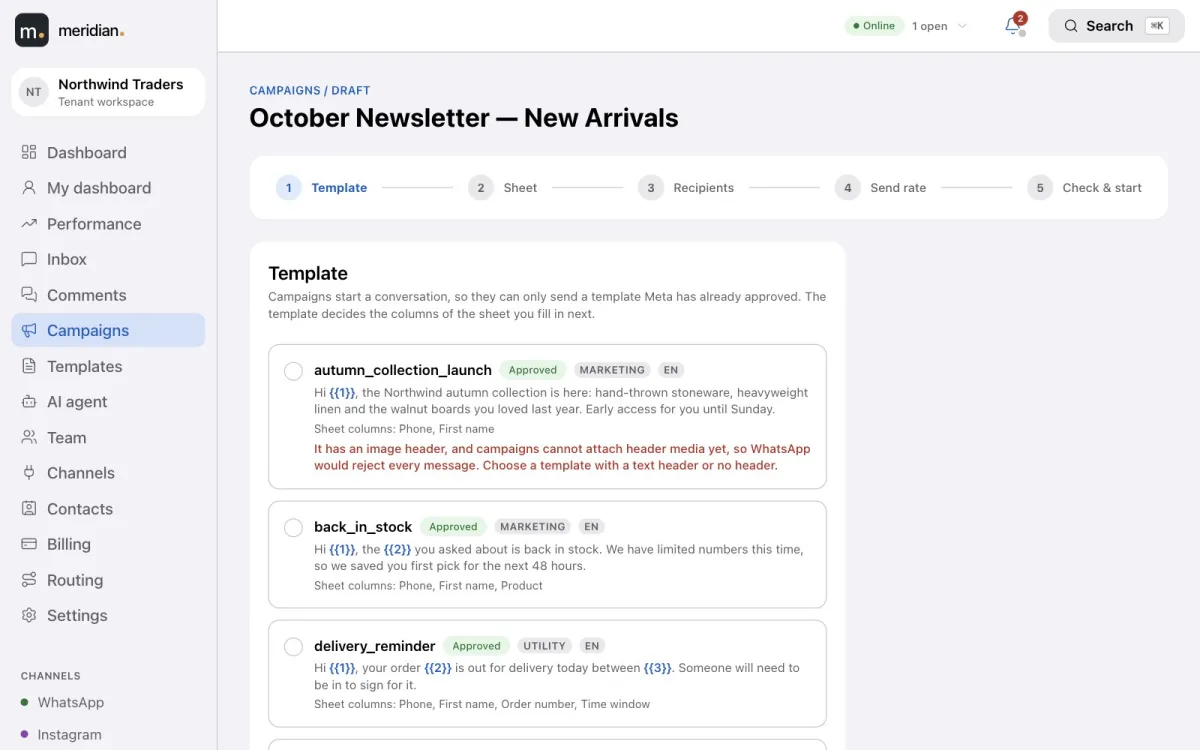
Campaigns start from an approved template and a sheet made for it.
Recipients from a spreadsheet or straight from your contacts.
A check before anything is sent.
Four sending speeds, scheduling and daily sending hours.
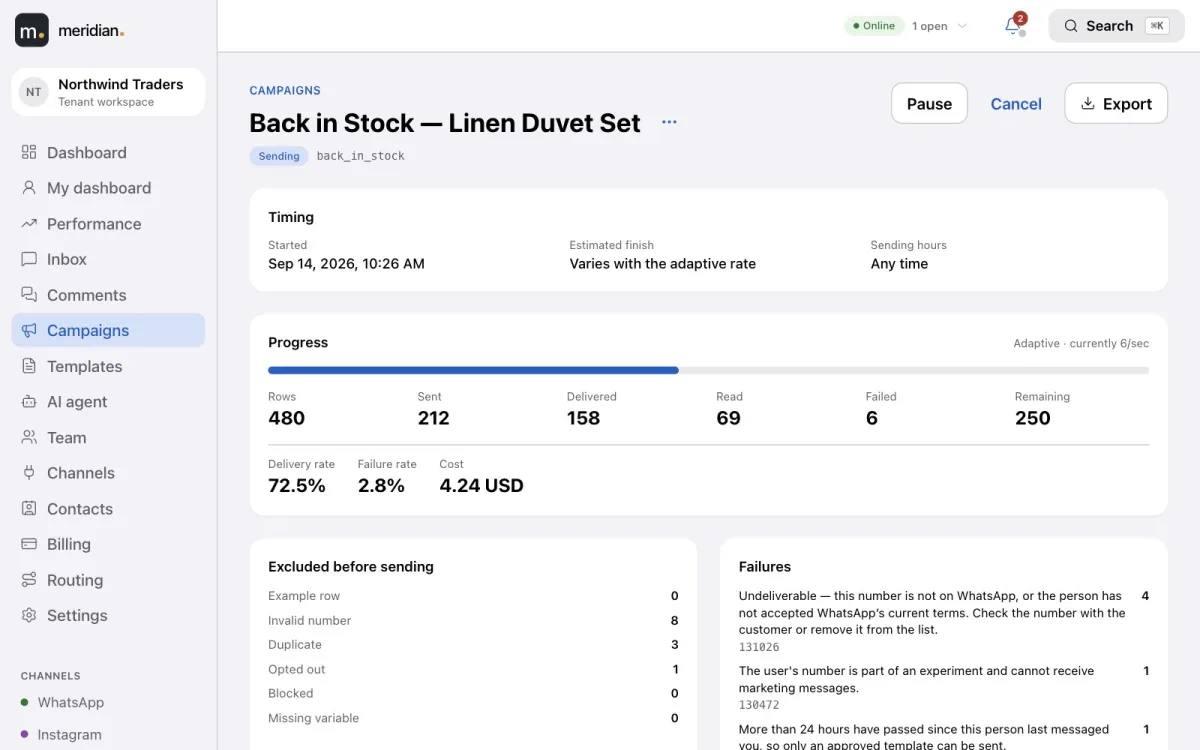
A per-recipient report: sent, delivered, read, failed and cost.
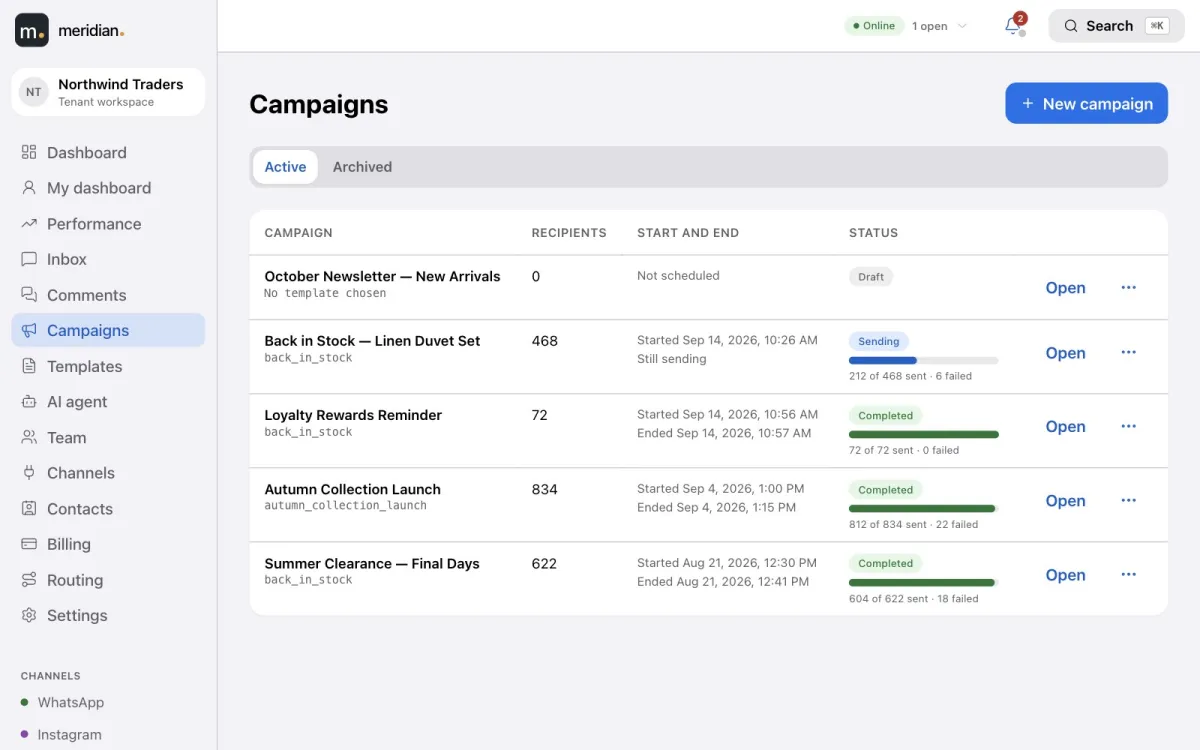
Pause, resume or cancel at any time.
Build templates and watch Meta approve them
Write the header, body, footer and buttons with variables for personal details, and see exactly what the customer will receive. Submit to Meta from the same screen; the status — approved, pending, or rejected with the reason — updates by itself. Templates created in Meta Business Manager appear too.
Marketing, utility and authentication categories.
The quality rating on every template.
Templates
Start from the template
Choose an approved template and Meridian prepares a spreadsheet with exactly the columns it needs: a phone column and one column per variable. Upload the filled-in sheet and the columns are matched for you — or choose recipients from your contacts instead.
Campaign · Choose the template
Checked before a message goes out
Before sending, Meridian confirms your sender is connected, the template is approved and your credentials are healthy — and checks every row. Invalid numbers, duplicates, opted-out and blocked contacts and missing variables are set aside and counted, so problems are fixed before sending, not discovered after.
Your speed, your schedule
Send now or schedule a start and end time, allow sending only during the hours you choose, and pause, resume or cancel at any moment.
Per second — a fixed rate, such as five messages a second.
Adaptive — slows down by itself if problems appear.
All at once — as fast as allowed.
Finish by — paced to complete by the time you set.
A report for every recipient
Follow progress live: sent, delivered, read and failed, the delivery and failure rates, and the cost. Every failure carries its reason, and the full per-recipient report can be exported whenever you need it.
Campaigns
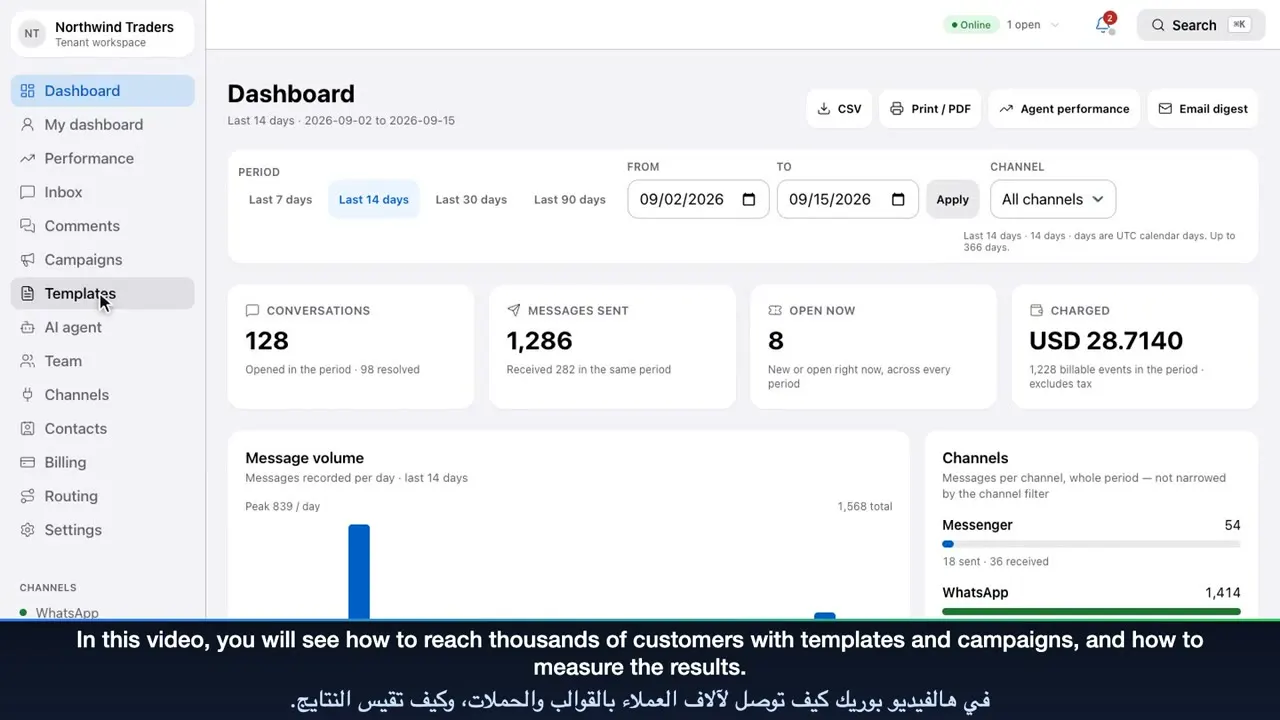
Video tutorial
Templates, campaigns and reports
Build a WhatsApp template and track its approval, create a campaign from a ready-made sheet or your contacts, choose its speed and schedule, then read team performance and billing.
Yes, with campaigns. A campaign sends an approved WhatsApp template to many recipients — the way WhatsApp allows businesses to message customers who haven’t written in the last 24 hours.
Why do campaigns need an approved template?
WhatsApp requires businesses to use a Meta-approved template to start a conversation. Meridian lists only approved templates for campaigns, and shows why a template was rejected so you can fix it.
Are opted-out customers excluded from campaigns?
Yes. A customer who opts out — for example by replying STOP — is never sent marketing again, and blocked contacts are skipped too.
How fast does a WhatsApp campaign send?
You choose: a fixed rate per second, an adaptive rate that slows down by itself if problems appear, as fast as allowed, or paced to finish by a time you set. You can also limit sending to certain hours of the day.
Can I choose recipients without a spreadsheet?
Yes. Instead of uploading a sheet, choose recipients from your Meridian contacts — including by the custom fields you keep on them.