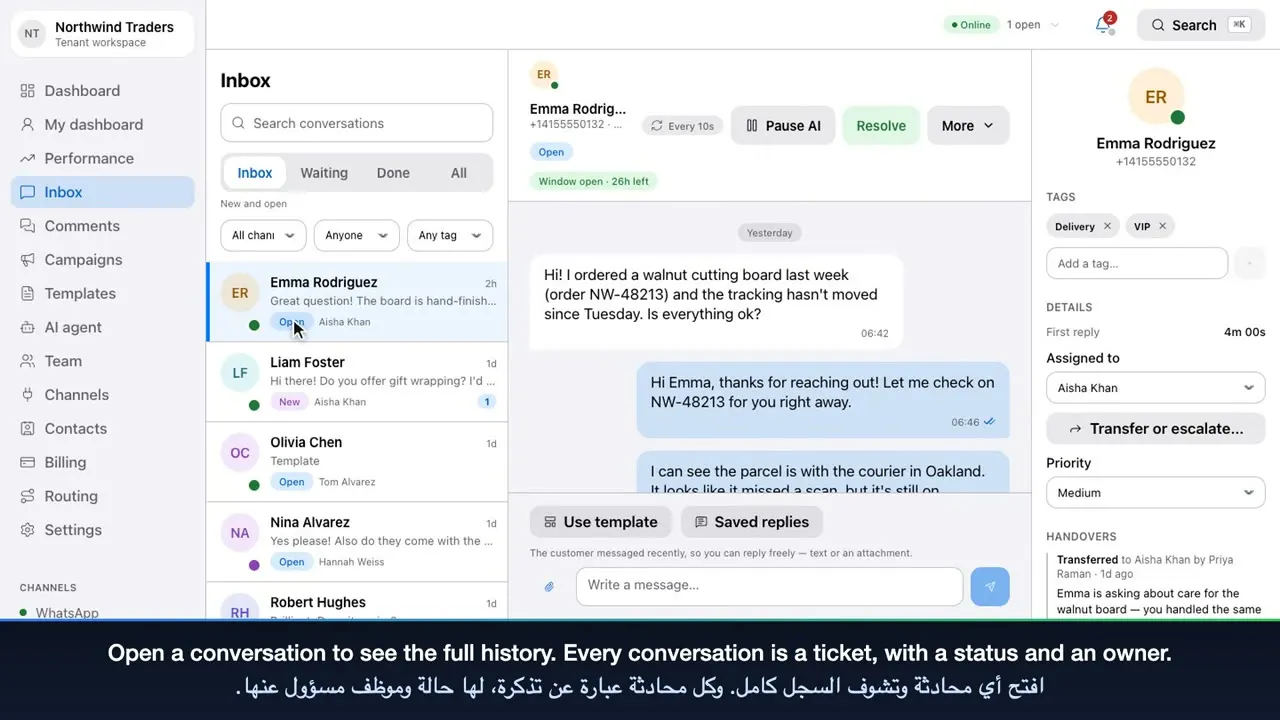
Custom fields and campaign audiences
Add your own fields — a plan, a renewal date, a branch — fill them in on the profile or by import, and use them to choose who receives a campaign.

Contacts
Meridian keeps a single record for each customer who reaches you — whichever channel they use — with their details, your team’s notes, every conversation and their marketing consent. Search it, import it, and use it to target campaigns.
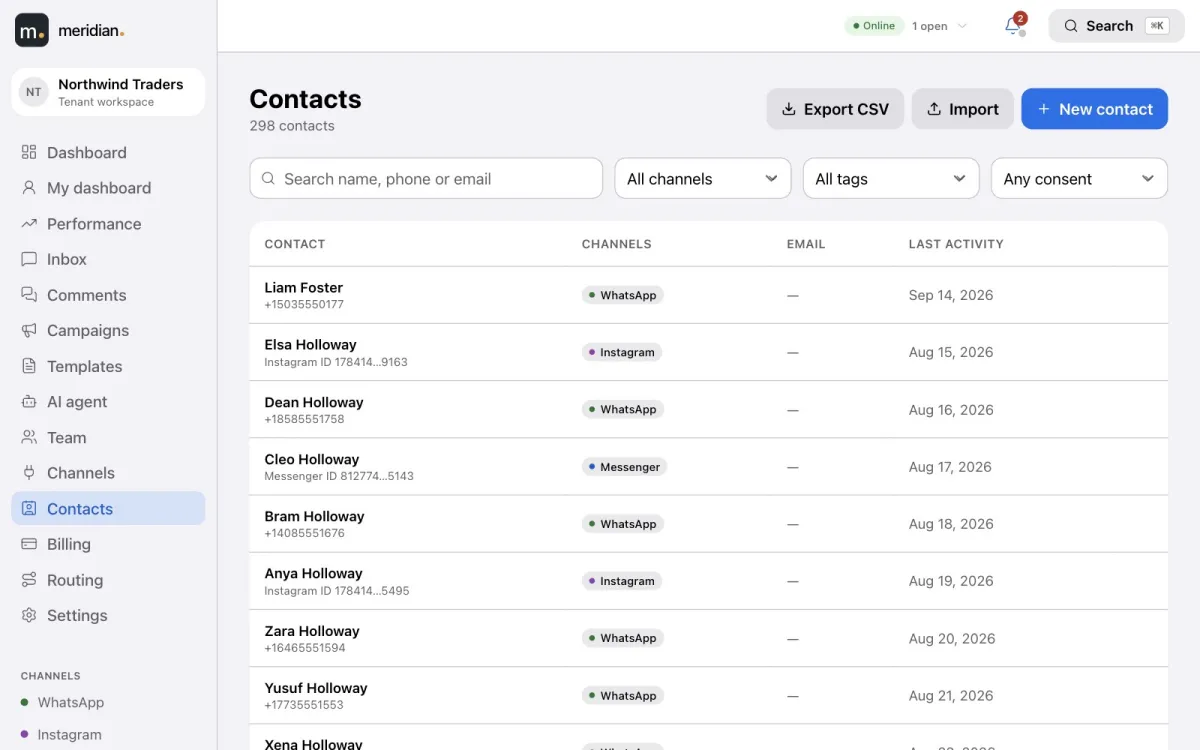
Open a contact to see their details, your team’s notes, every conversation, and each address they have reached you from — a WhatsApp number, an Instagram account or a Messenger profile.
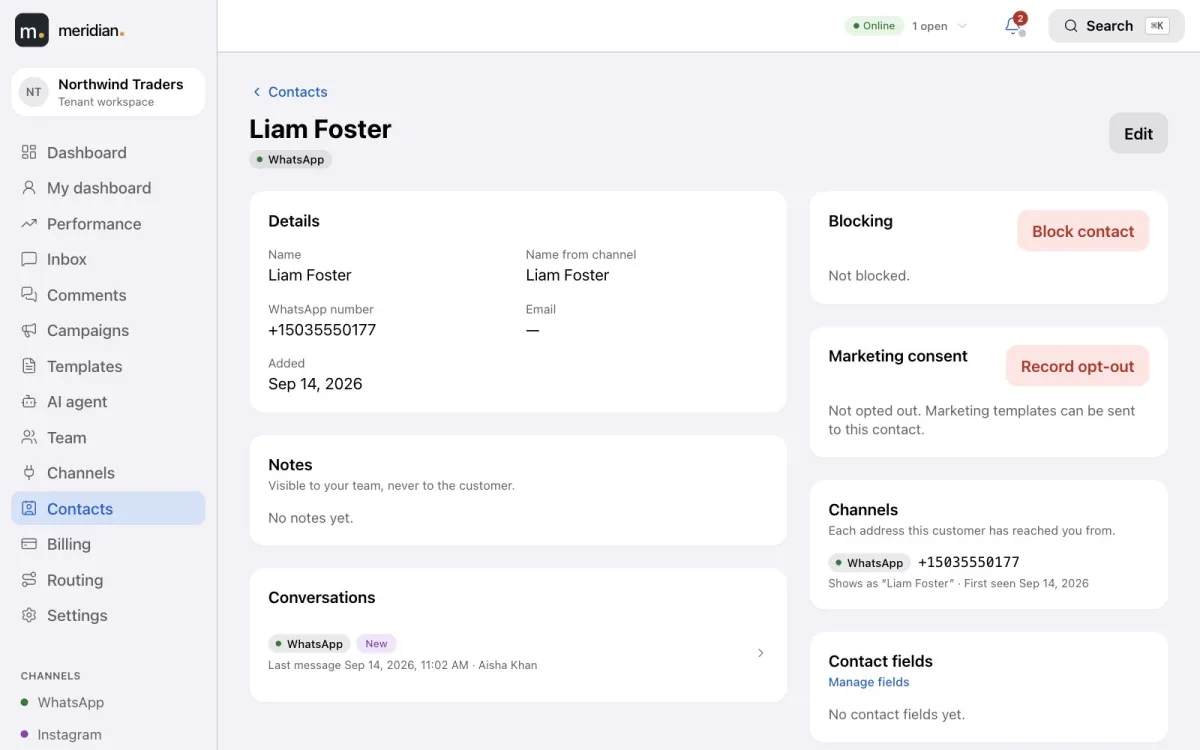
Add your own fields — a plan, a renewal date, a branch — fill them in on the profile or by import, and use them to choose who receives a campaign.
Bring your customer list in from a CSV file using the same phone number rules as campaigns, and get a report of any row that was skipped and why. Export your contacts whenever you need them.
Record opt-outs and opt-ins on each contact; a customer who opts out is never sent marketing. Block a contact from the inbox, the comments queue or their profile: their messages are kept but open no tickets, nothing is sent to them, the AI stays silent, and on WhatsApp the number is blocked with Meta too.
Video tutorial
Sign in, read the dashboard, and work the shared inbox: tickets, saved replies, the 24-hour window, approved templates, Instagram and Facebook comments, and contacts.
It includes the core of one: a profile for every customer across WhatsApp, Instagram and Messenger, with notes, conversation history, custom fields, consent and campaign targeting — alongside the shared inbox.
Yes, from a CSV file. Meridian checks each row and reports anything it skipped.
Their messages and comments are kept but open no tickets and notify nobody, nothing can be sent to them, campaigns skip them, the AI agent doesn’t reply, and on WhatsApp their number is also blocked through Meta.
Owners, admins, supervisors and agents. Every block and unblock is recorded in the audit log.
Create your Meridian account, connect your channels and start answering today.