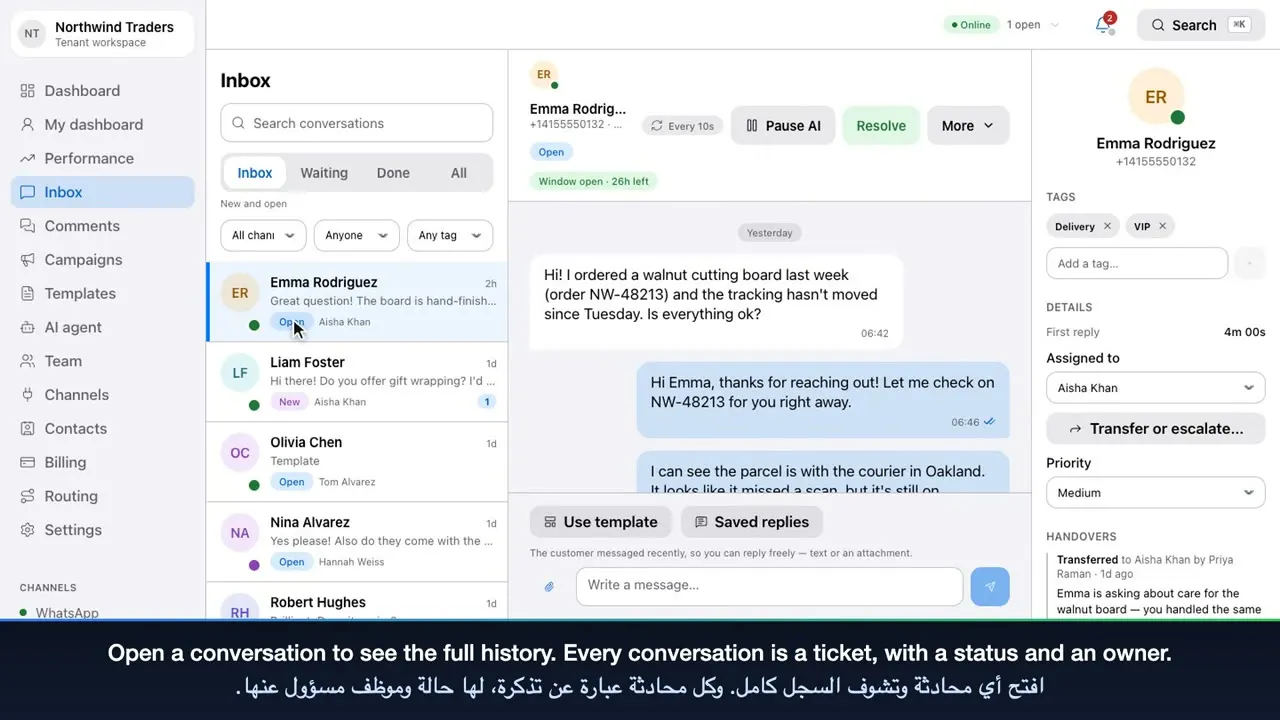
Know where every message is
Delivery status comes straight from Meta — queued, sent, delivered and read — and if Meta rejects a message you see why. Reactions, photos, documents and voice notes appear in the thread.

Shared inbox
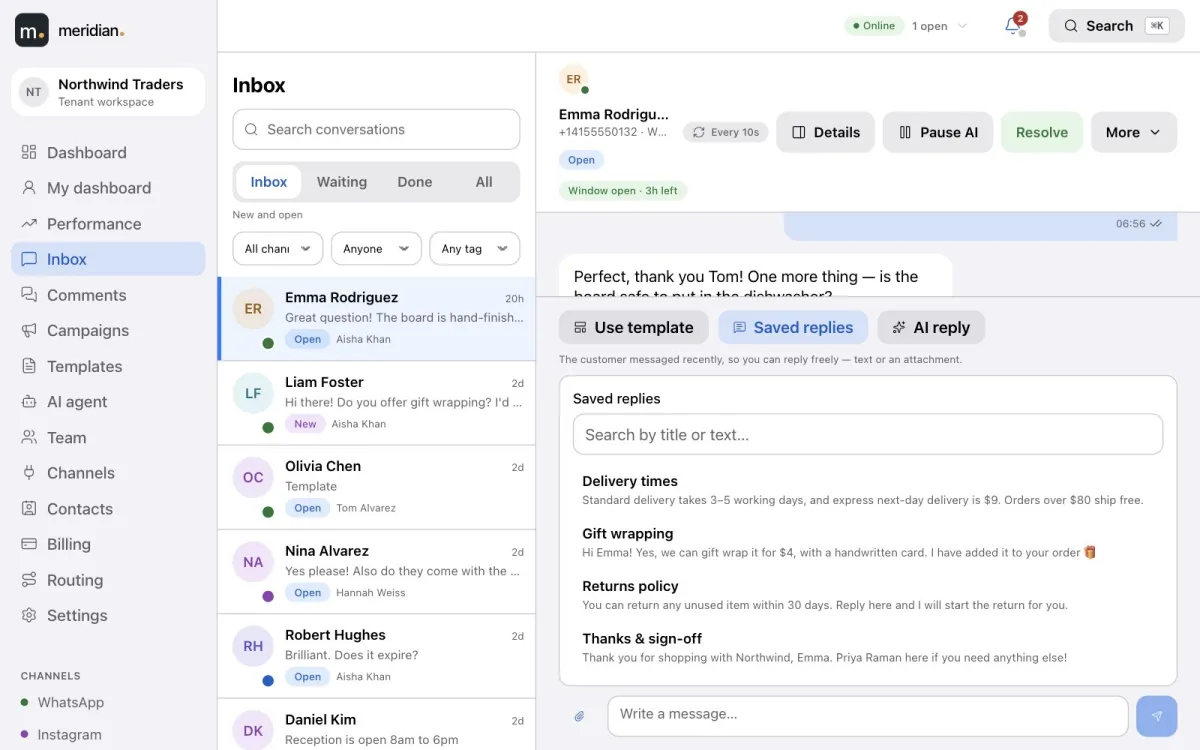
Every customer conversation from WhatsApp, Instagram and Facebook Messenger arrives in one list your whole team works from. Each one is a ticket with a status, a priority and an owner — so nothing is missed and nobody answers twice.
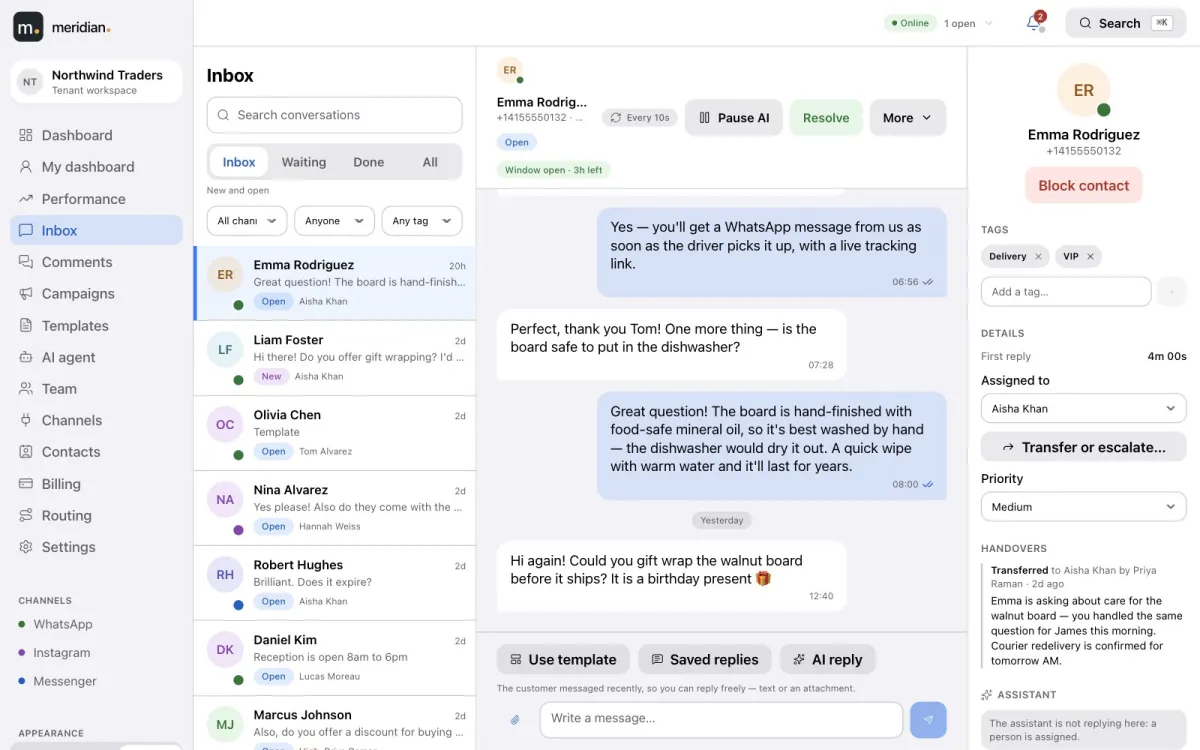
Conversations move through New, Open, Pending, Snoozed, Resolved and Closed. Set a priority, add tags, leave internal notes only your team can see, assign an owner, or transfer and escalate with a reason. When a customer replies to a resolved ticket, it reopens by itself.
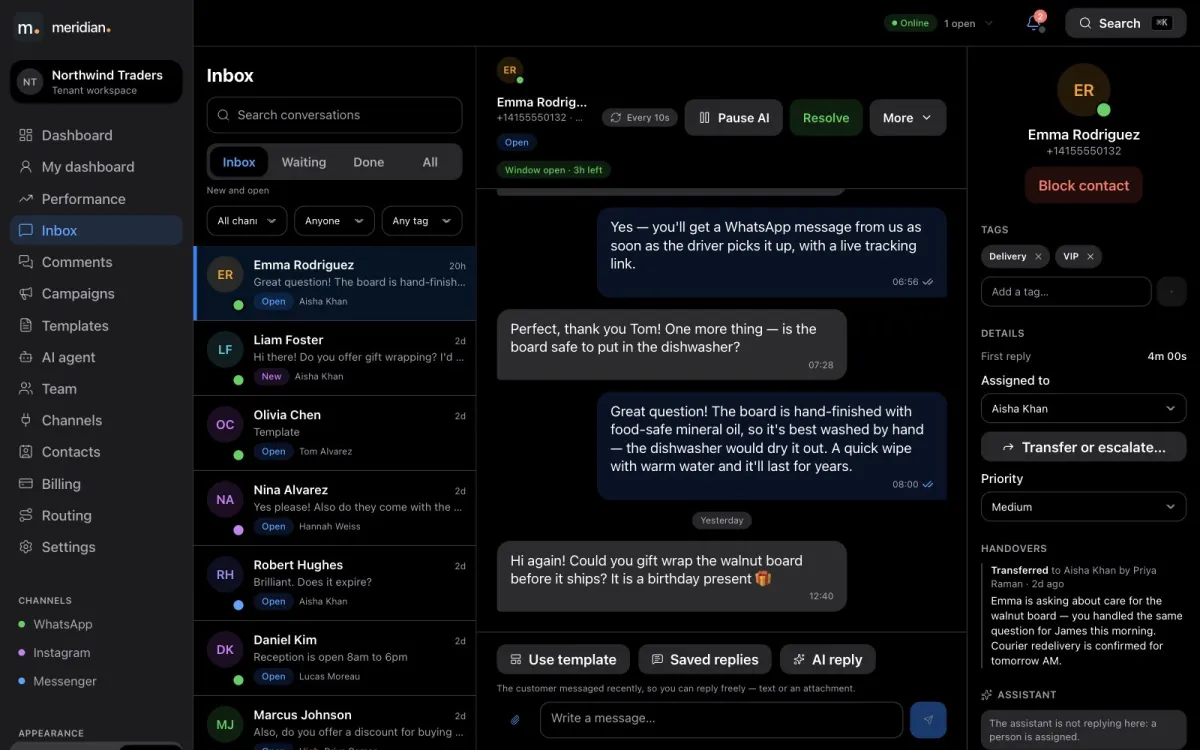
WhatsApp lets you reply freely for 24 hours after a customer writes; after that, only an approved template can restart the conversation. Meridian shows how long the window has left, and when it closes the composer offers only your approved templates — so your team never sends a message WhatsApp would reject.
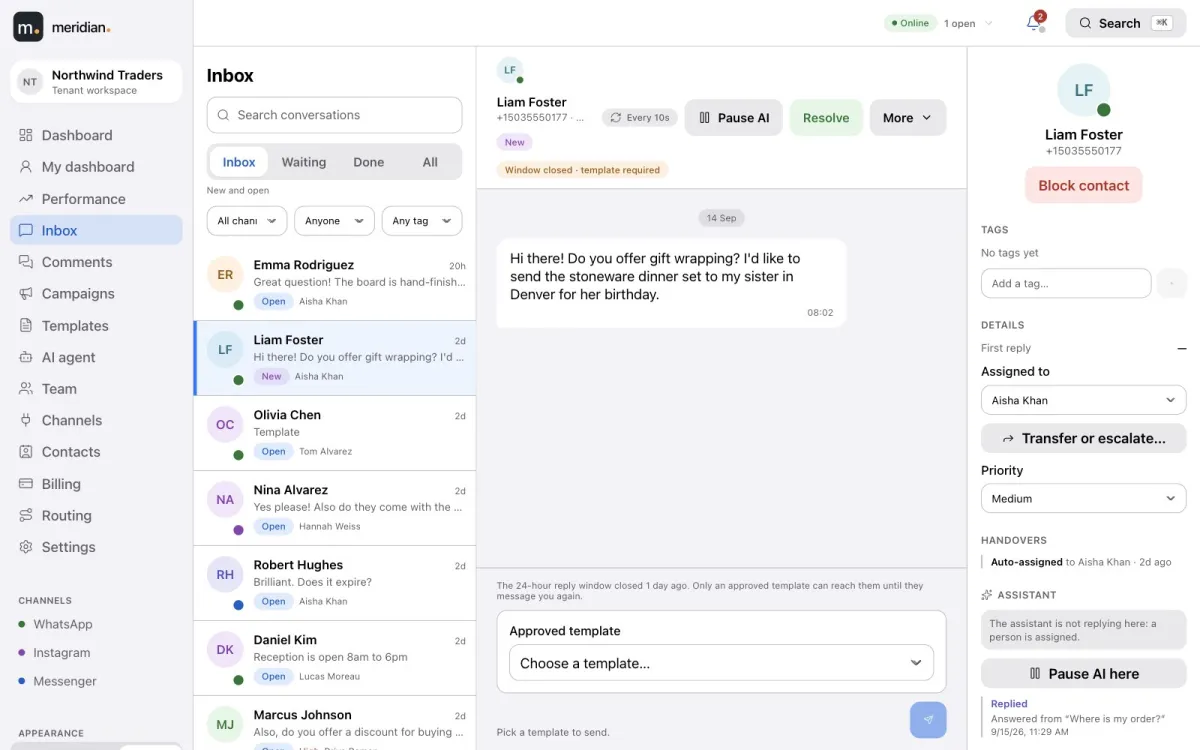
Admins write your best answers once, with placeholders such as the customer’s name. Agents insert them from the composer in one click, adjust if needed, and send. Admins also choose which approved templates agents can use in the inbox.
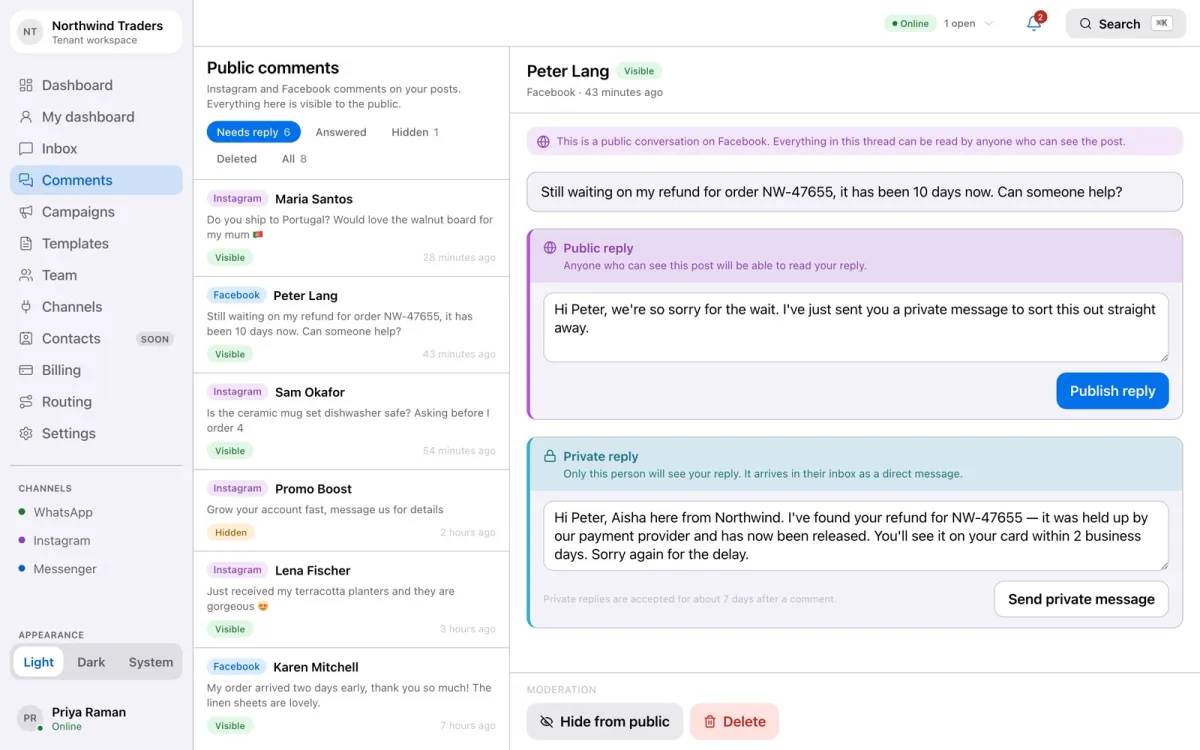
Comments on your posts arrive in their own queue, filtered by needs reply, answered and hidden. Reply publicly under the post or privately in the customer’s inbox, hide or delete spam in one click — or let the AI agent answer.
Delivery status comes straight from Meta — queued, sent, delivered and read — and if Meta rejects a message you see why. Reactions, photos, documents and voice notes appear in the thread.
New messages, assignments and status changes reach every teammate the moment they happen, with an in-app notification centre, optional browser alerts and email when you’re away.
Video tutorial
Sign in, read the dashboard, and work the shared inbox: tickets, saved replies, the 24-hour window, approved templates, Instagram and Facebook comments, and contacts.
Yes — that is what the shared inbox is for. The whole team works from one list, each conversation has an owner, and routing assigns new conversations automatically.
Yes. You can connect more than one WhatsApp number from your WhatsApp Business account to the same workspace.
WhatsApp only allows an approved template to restart the conversation, so Meridian’s composer switches to your approved templates automatically — your team can’t send a message WhatsApp would reject.
Yes. Instagram direct messages and Facebook Messenger conversations arrive in the same inbox as WhatsApp, and comments on your posts arrive in the Comments queue.
No. Internal notes are visible to your team only and are never sent to the customer.
Create your Meridian account, connect your channels and start answering today.