
Team & performance
Route every conversation to the right person — and see how your team performs
Meridian assigns new conversations automatically, never past an agent’s limit, and holds work for people who step away. Supervisors see the whole team, and reports show response times, resolution and workload for everyone.
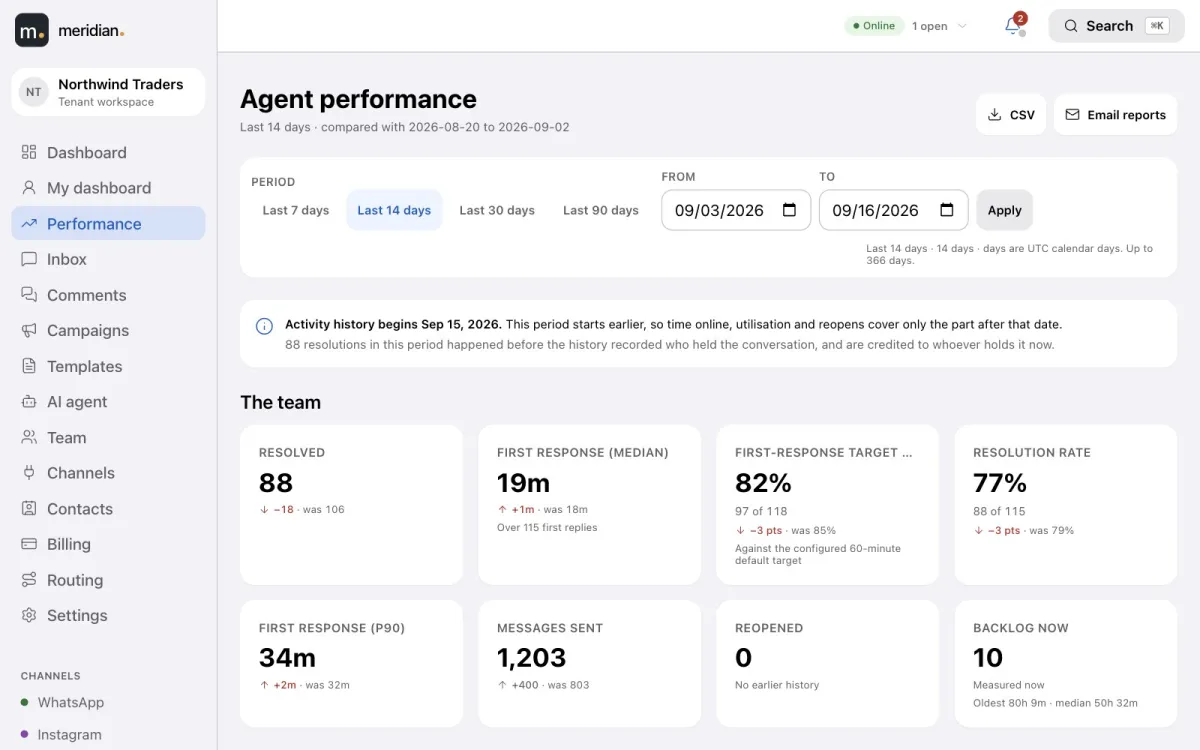
At a glance
- Roles: owner, admin, supervisor, agent and viewer.
- Invite teammates by email.
- Presence: online, away, busy, on a break or offline.
- Round-robin or least-busy routing, per queue.
- A limit on open conversations for each agent.
- Transfer and escalate with a reason.
- A dashboard, a leaderboard and a page for every agent.
- CSV and PDF export, and scheduled email reports.
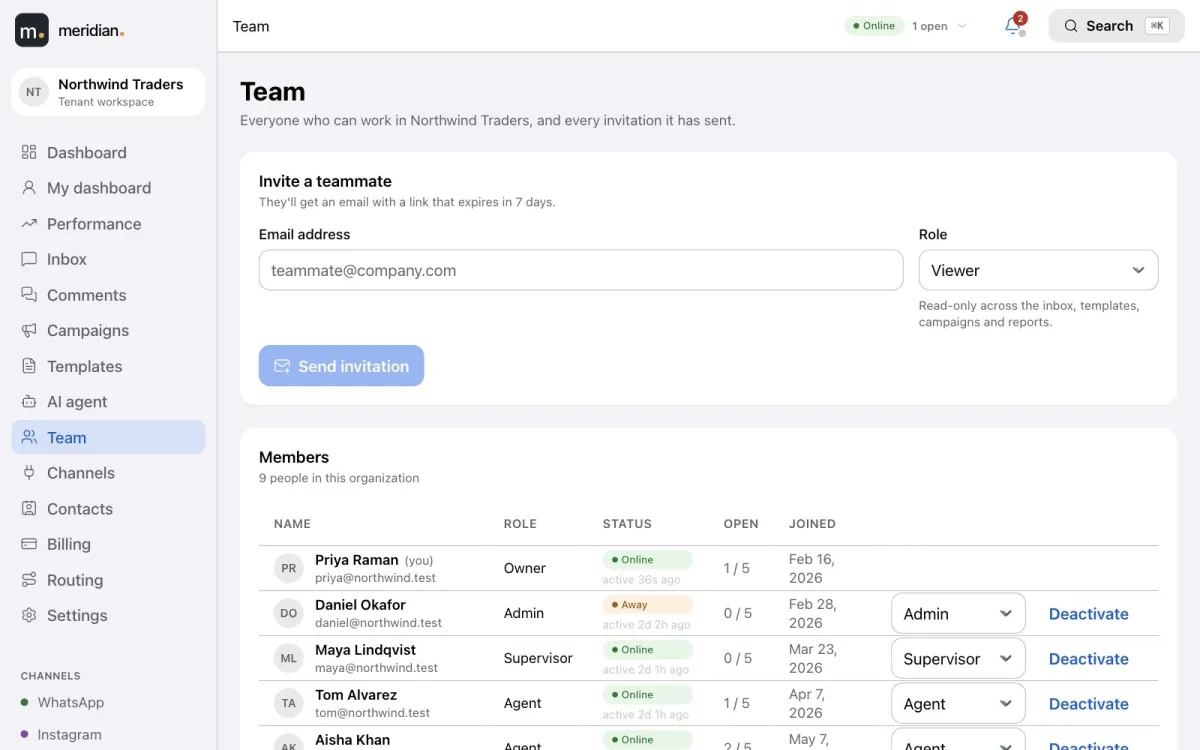
Your team, with the right access
Invite colleagues by email and give each one a role — owner, admin, supervisor, agent or read-only viewer. Agents see conversations; only owners and admins see channel credentials and billing.
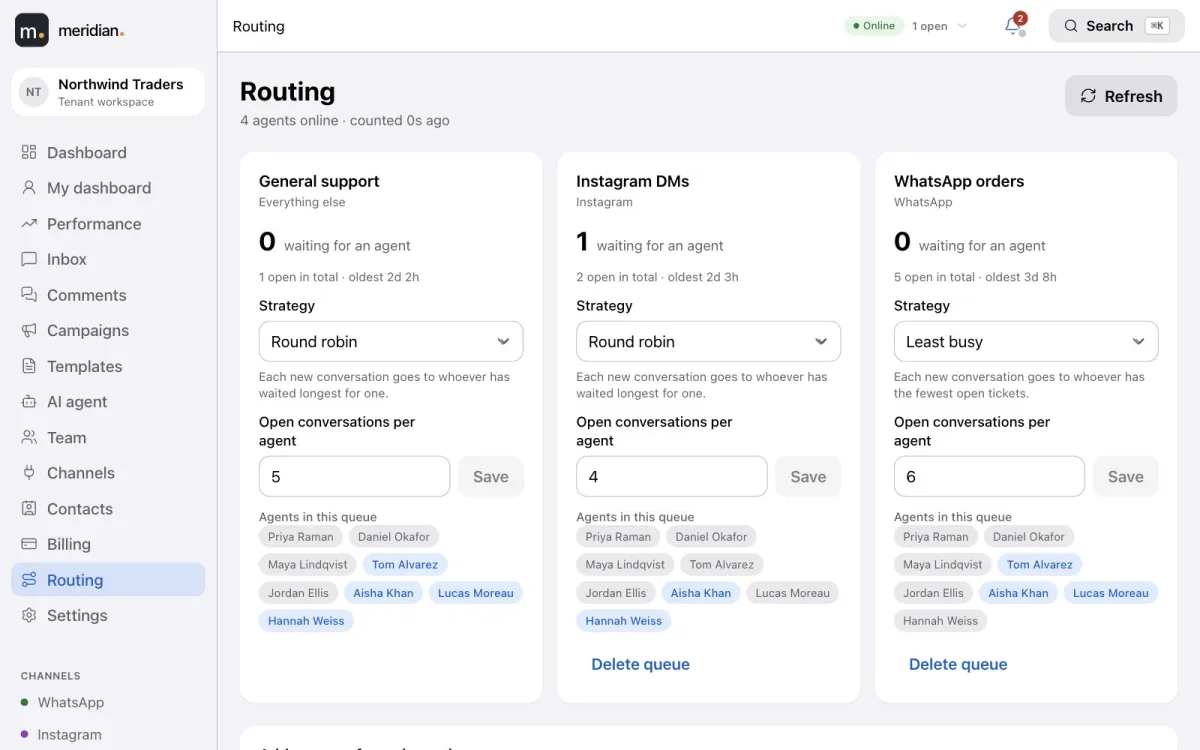
Automatic routing with limits
New conversations go to whoever has waited longest or is least busy, in the queues you set up, and never past an agent’s limit. Agents set their status, new work waits while they are away, and a supervisor can reassign in a click.
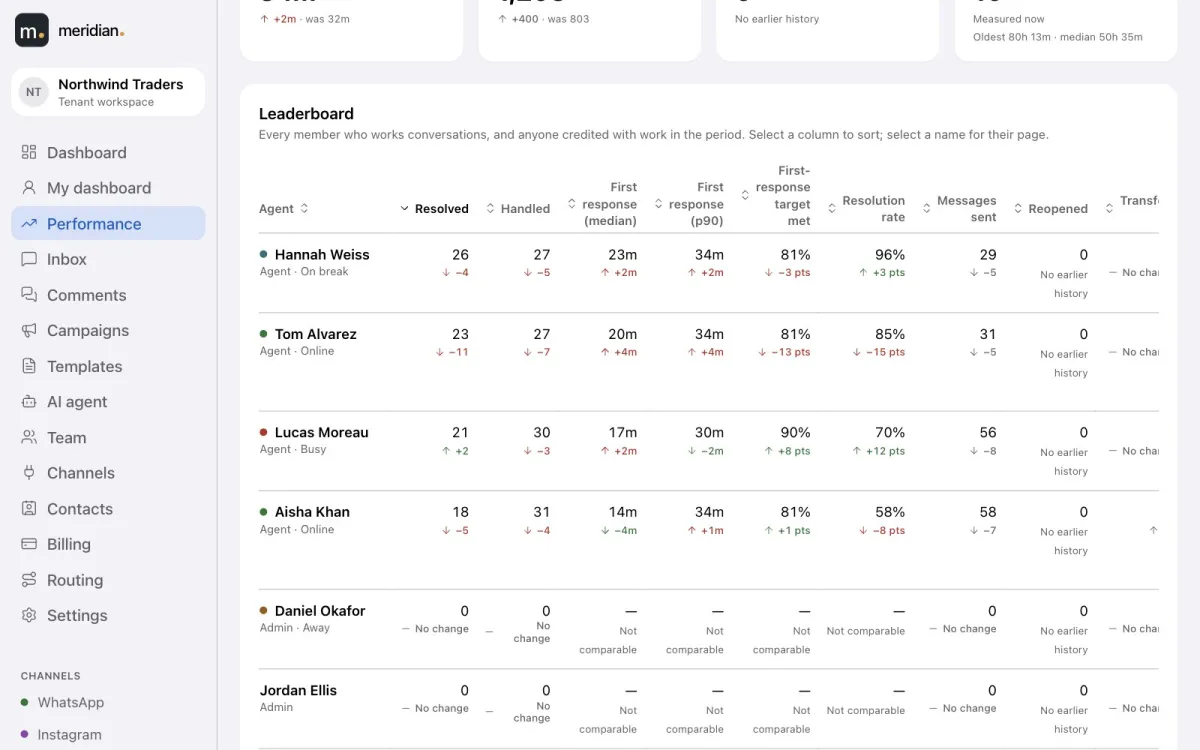
A report card for every agent
First response and resolution times, response-target compliance, resolution rate, messages sent, transfers, reopens, backlog, and time online, away and on break — for the team and for each agent, compared with the period before.
The numbers that matter, for any period
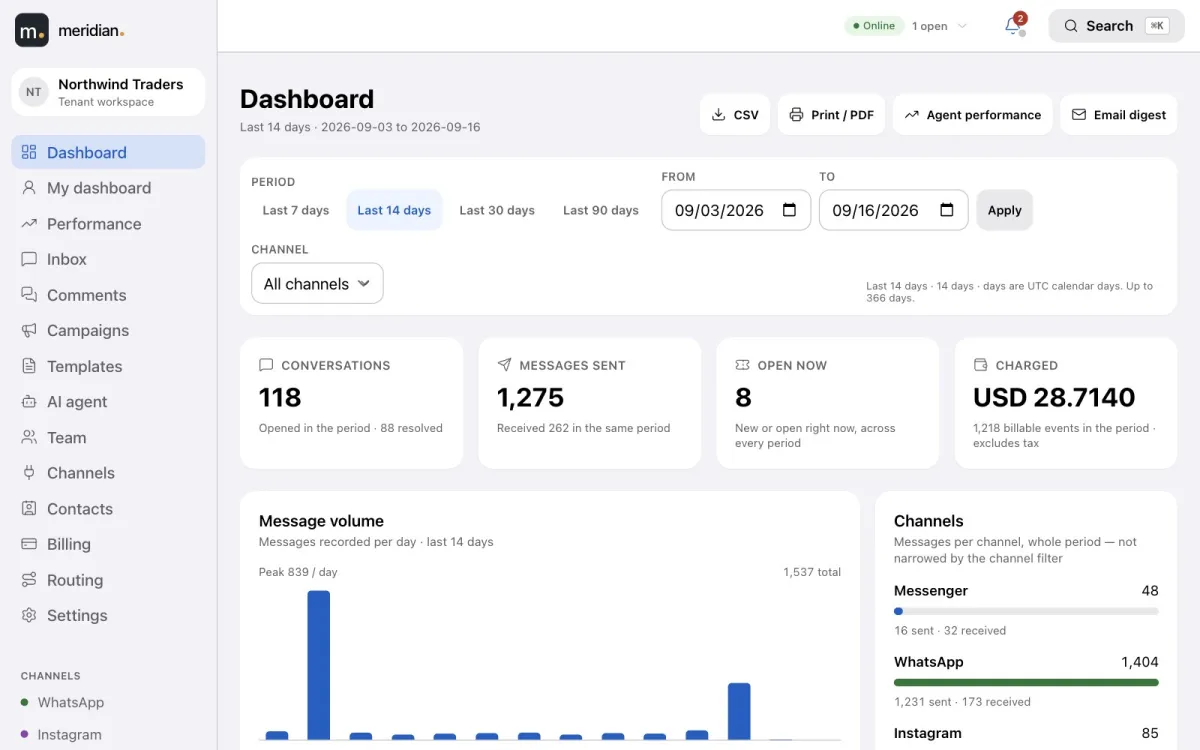
The dashboard shows conversations, messages, open tickets and spend for any date range and channel, with daily volume and a breakdown by channel — exportable to CSV or PDF, or emailed on a schedule.
Video tutorial
The AI agent, team and settings
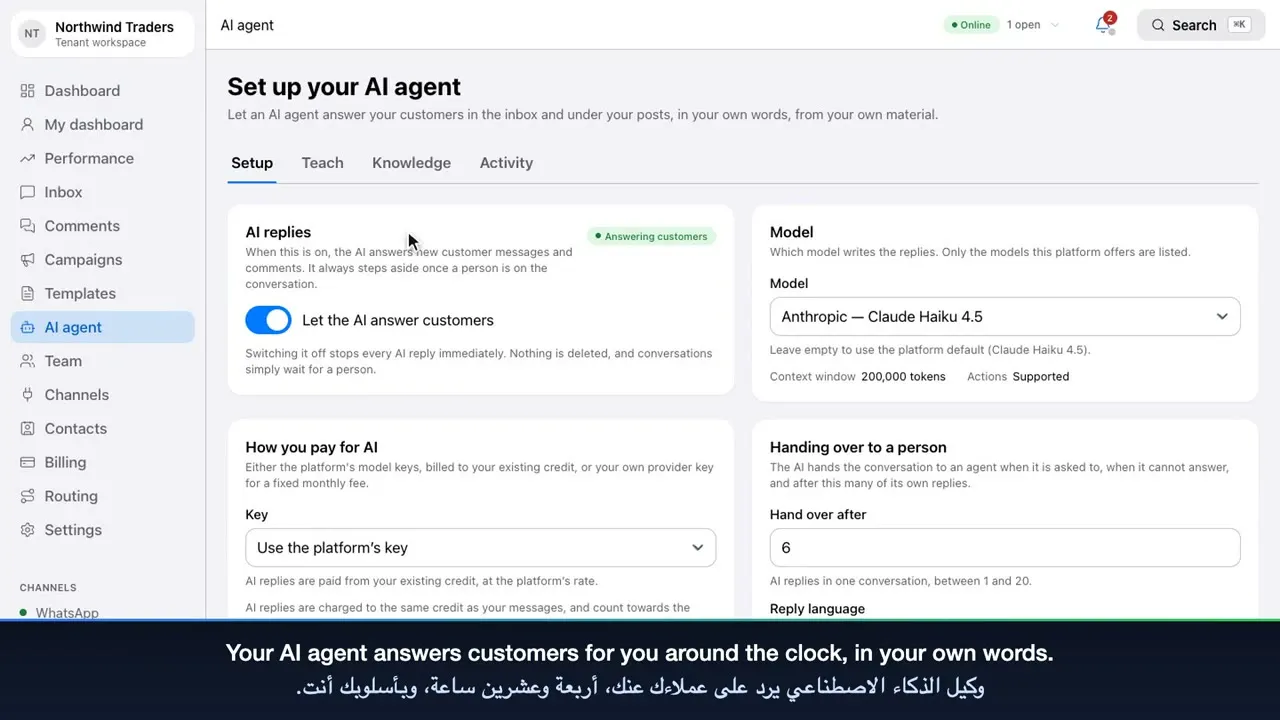
Set up and teach the AI agent, give it knowledge and review its activity, then invite your team, configure routing and channels, and secure your account.
Frequently asked questions
How does Meridian assign conversations?
Each queue uses round-robin (whoever has waited longest) or least-busy routing, never goes past an agent’s limit on open conversations, and holds new work for agents who are away.
Which team roles are available?
Owner, admin, supervisor, agent and viewer. Agents work conversations, viewers have read-only access, and owners and admins manage channels, billing and settings.
Which agent performance metrics does Meridian report?
First response time (median and 90th percentile), resolution time, conversations resolved and handled, resolution rate, response-target compliance, messages sent, transfers, reopens, backlog, and time online, away and on break — each compared with the previous period.
Can I export reports?
Yes. Reports export to CSV, the dashboard also to PDF, and reports can be emailed on a schedule.
Bring every conversation into one place.
Create your Meridian account, connect your channels and start answering today.